
Resolving ActiveX “Class Creation” Failures in Legacy Rental Software
When migrating an established rental business to new workstations, IT administrators often successfully install the core ERP client (such as older builds of CounterPro or Enfinity), only to encounter a crash when attempting to open specific sub-modules.
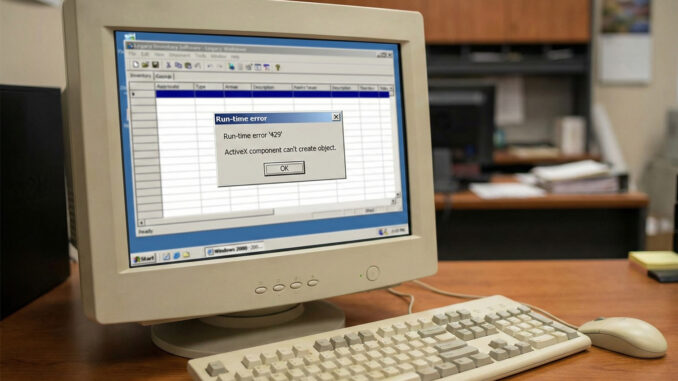
The most common scenario involves launching the Quote Manager or Inventory Lookup screens, which immediately triggers the following modal error:
Run-time error ‘429’:
ActiveX component can’t create object.
Unlike “Missing Component” errors (which tell you exactly what file is gone), Error 429 is more ambiguous. In the context of legacy rental ERPs, this almost always indicates that the Microsoft Scripting Runtime or the Data Access Objects (DAO) library has become deregistered during a Windows update.
The Fix: Re-registering the Core Automation Libraries
Because these libraries handle the “glue” between your rental database and the user interface, they must be explicitly registered in the Windows Registry using the Microsoft OLE mechanism.
Warning: You must have Administrator privileges to perform these actions.
Step 1: Open the Elevated Command Prompt
- Press Windows Key + S.
- Type “CMD”.
- Right-click Command Prompt and select Run as Administrator.
Step 2: Register the Scripting Runtime
The Scripting Runtime (`scrrun.dll`) is responsible for file system operations (like saving a quote PDF to a local drive). If this is broken, the module fails to load.
Copy and paste this command:
cd C:\Windows\SysWOW64
regsvr32 scrrun.dll
(Note: If you are on a 32-bit version of Windows, change SysWOW64 to System32).
Step 3: Register the DAO Engine
Many legacy rental systems rely on the older DAO 3.6 engine (`dao360.dll`) to talk to local database caches. Modern Windows often “forgets” this registration.
Copy and paste this command:
regsvr32 "C:\Program Files (x86)\Common Files\Microsoft Shared\DAO\dao360.dll"
Step 4: Restart the Client
Once you see the “DllRegisterServer succeeded” message for both commands, restart your rental management application. The Quote Manager should now initialize correctly.
Migration Note: Persistent ActiveX errors are a strong indicator that your operating system environment is drifting too far from your software’s original specifications. For strategies on virtualizing these environments, consult our Rental ERP & POS History archive.